

-
Galaxy Projector with Bluetooth Speaker – Sound-Reactive Star Light
Regular price From $70.99Regular price

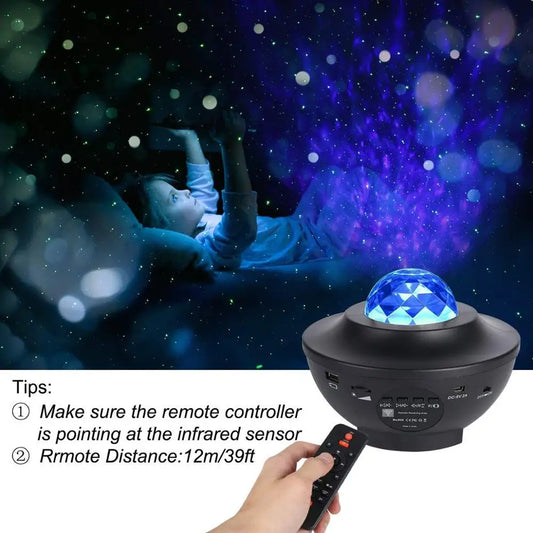
What to know before buying a smart star projector
Putting a speaker and a projector in one box sounds simple, but the details decide whether you'll use both features or just one. Before you choose, think about what you'll play most often: music at a normal volume, quiet sleep sounds, or nothing at all on most nights.
Speakers, white noise and sound-reactive modes
A galaxy projector with a Bluetooth speaker pairs with your phone like any other wireless speaker, so you can stream music, podcasts or a sleep-sound app. Some sound machine projectors also have white noise or nature sounds built in, which play without a phone. Sound-reactive modes, sometimes called music or voice-activated modes, make the light pulse and change with the beat. They're fun at a party and less helpful at bedtime. Keep expectations realistic, too: a small projector speaker is fine for background audio in a bedroom, but it won't stand in for a dedicated speaker at high volume.
App, remote and voice control
- A remote is the simplest option and works right out of the box.
- App control usually adds finer color choices, saved scenes and scheduling.
- Voice assistants such as Alexa or Google Assistant generally need a Wi-Fi model. Bluetooth alone won't give you voice control, so check each product page.
- Timers let the light and the sound switch off together once you're asleep.
Getting the most from a smart projector
Set the projector on a stable surface a few feet from the wall or ceiling, pair it once, and save a bedtime scene if the app allows it. If the audio crackles or cuts out, move your phone closer and make sure it isn't connected to another speaker at the same time. There are more setup tips in our projector guides on the blog.
Prefer a light without sound? Browse all galaxy projectors and star projector night lights. For a nursery, our star projectors for kids focus on soft light, and the sensory light projectors bring together the calmest effects.
Frequently asked questions
How do I connect a galaxy projector to Bluetooth?
Turn the projector on and switch it to Bluetooth or speaker mode if it has a separate setting. Open your phone's Bluetooth settings, choose the projector from the list and play audio as usual. If it doesn't show up, power the projector off and on again and make sure it isn't still connected to another phone.
Can I use the speaker without the light, or the light without the speaker?
On most models, yes. The light and speaker are usually controlled separately, so you can play music with the projection off or run the stars in silence.
Is a sound machine projector good for sleep?
It can be a handy two-in-one. Pair a low, warm light with steady white noise or rain sounds, and use a timer so both stop once you're asleep. Skip the sound-reactive light modes at bedtime, since the flicker tends to keep people awake.